
Power Off the Archer 4 from the Allegro Keyboard
Article #17123
With some setup, you can power off the Archer 4 from the Allegro Wireless Keyboard. This can be useful if you have disabled the Archer 4 touchscreen.
Note: For instructions on disabling the Archer 4 touchscreen, refer to "Disable or Enable the Touchscreen" in the Archer 4 User Manual.
Setup
To get started, change the Power key on the Archer 4 to open the Power menu.
Steps to Power Off
To power off the Archer 4 from the keyboard,
On the Archer 4, press the Power key.
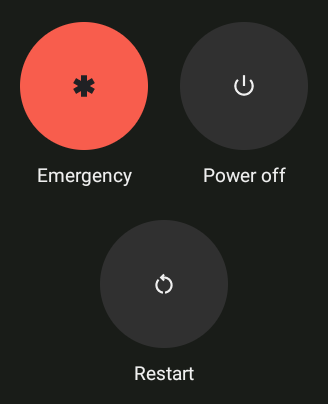
On the Allegro keyboard, press the Right tab key
 to highlight Power off.
Note: When highlighted, Power off is displayed in a bold font.Press Enter
 .
.