
Static IP on Android
Article #14695
Wireless Network
To set a static IP address with a wireless network on an Android device (such as the Mesa 3 Android, Allegro 3, and Archer 3),
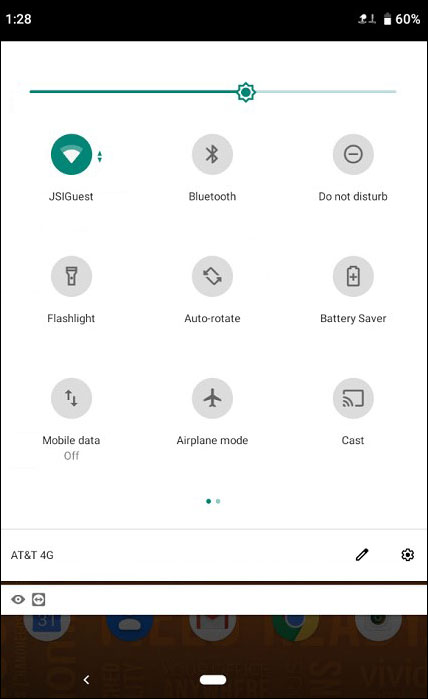
Swipe from the top of the screen, and then tap and hold the Wi-Fi icon.
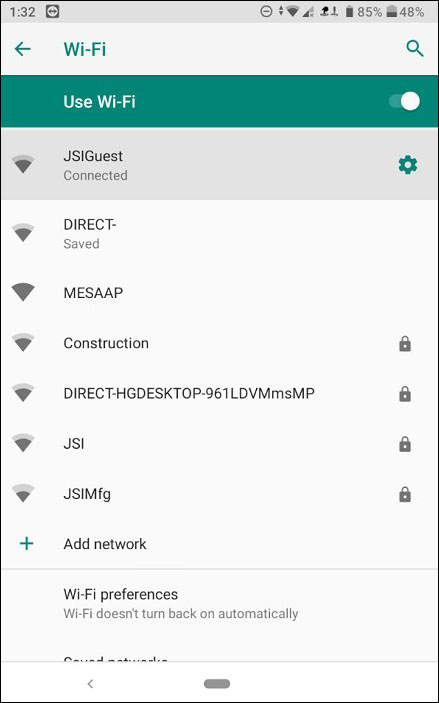
Tap the Settings (gear) icon for the Wi-Fi connection.
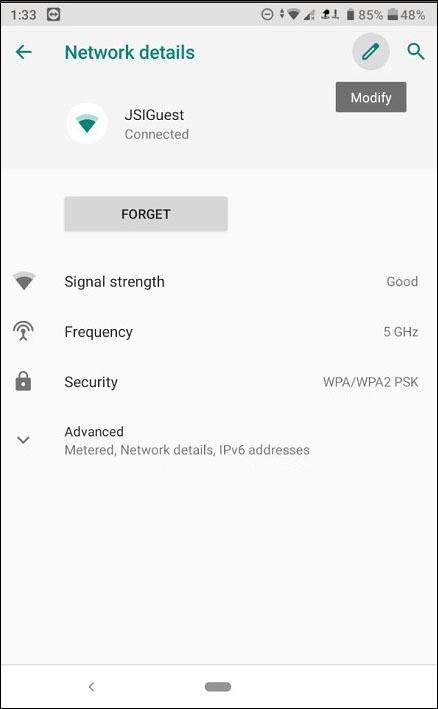
Tap the Modify (pencil) icon.
Tap Advanced options.
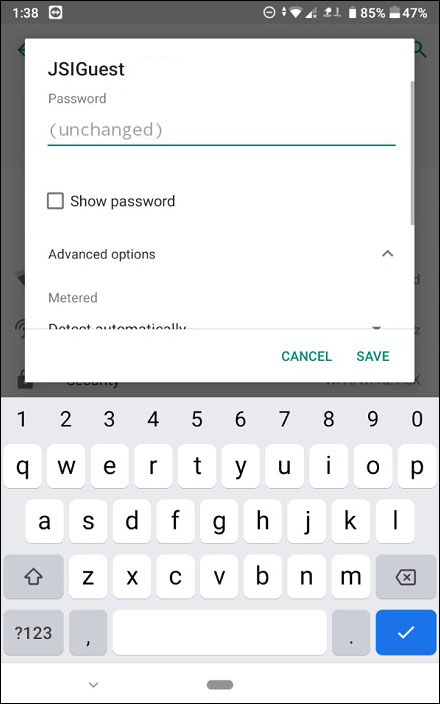
In IP Settings, select Static.
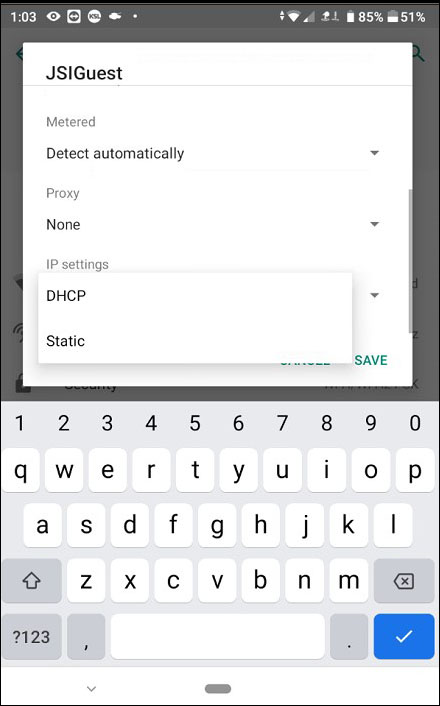
Enter the static IP address and other settings.
Tap Save.
Ethernet Connection
To set a static IP address with an ethernet connection on an Android device (such as the Mesa 3 Android),
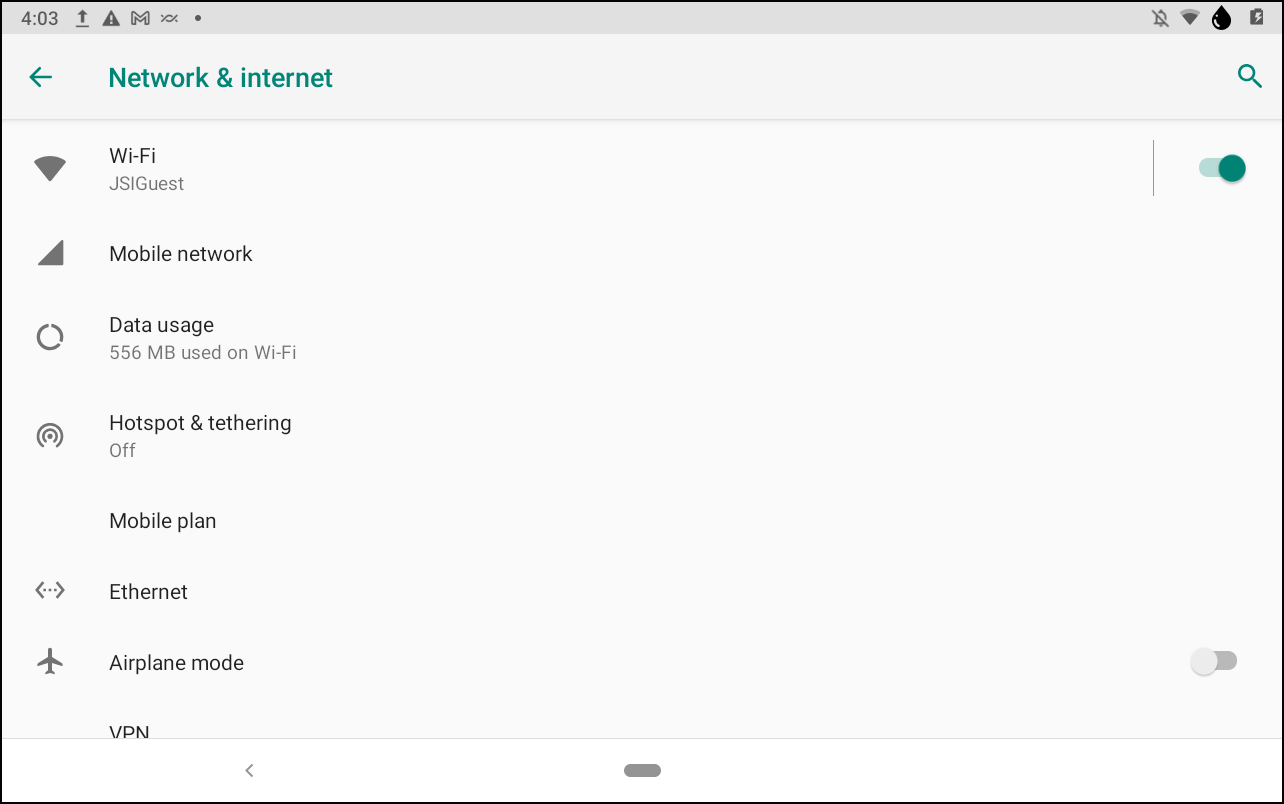
Open Settings and tap Network & internet.
Tap Advanced.
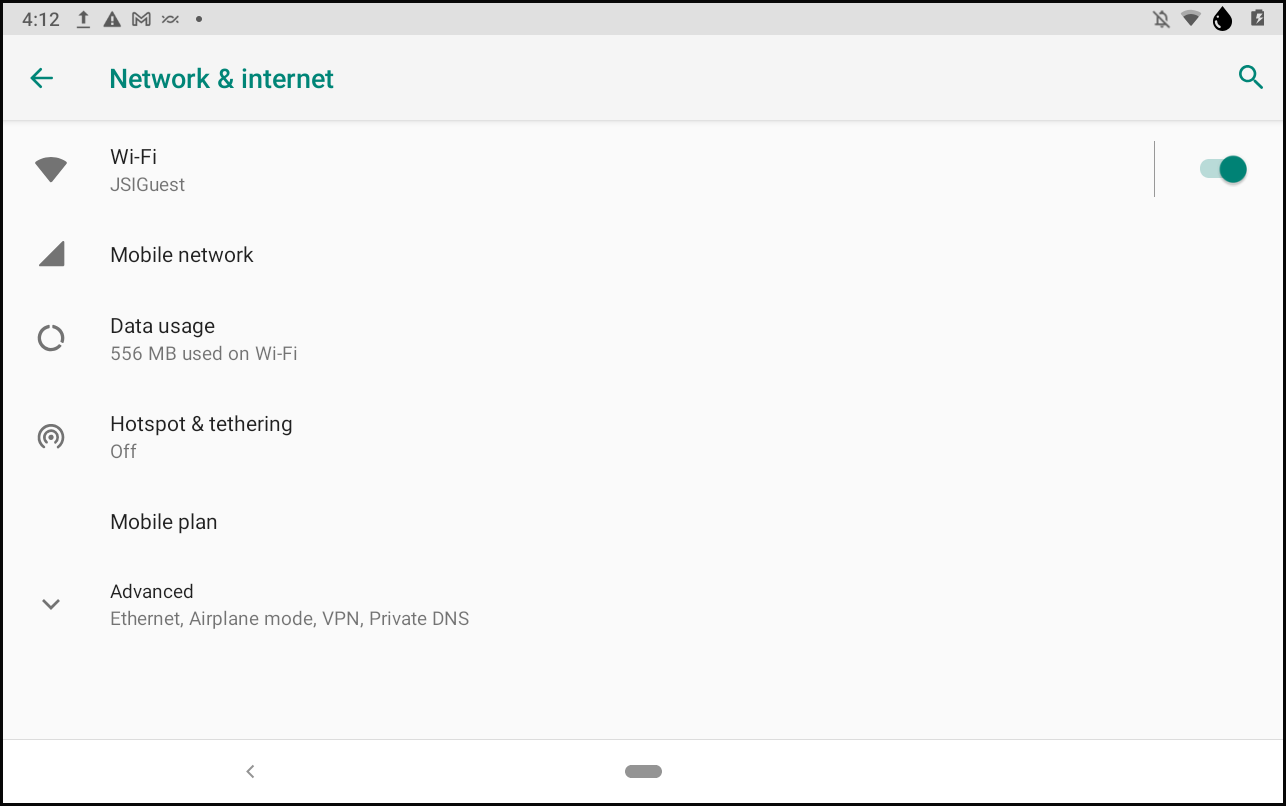
Tap Ethernet.
Tap Use static IP.
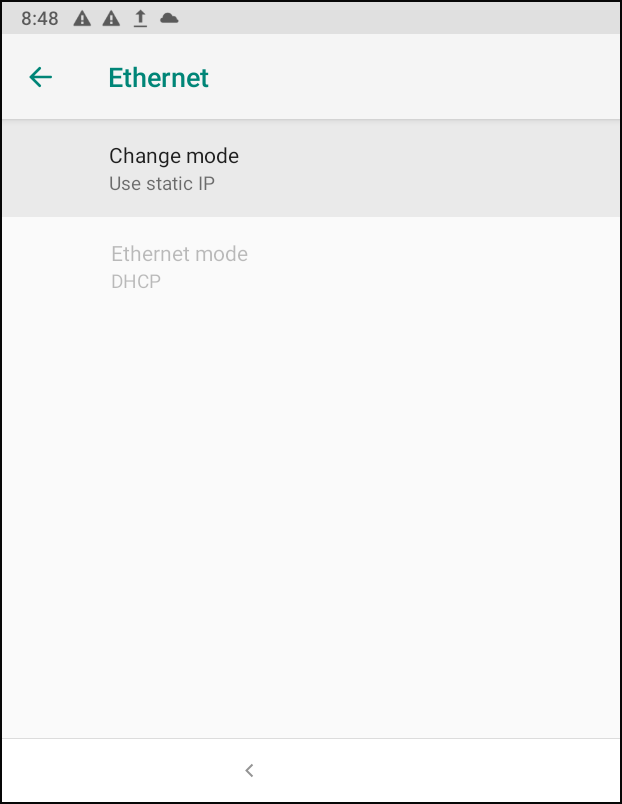
Enter the static IP address and other settings.
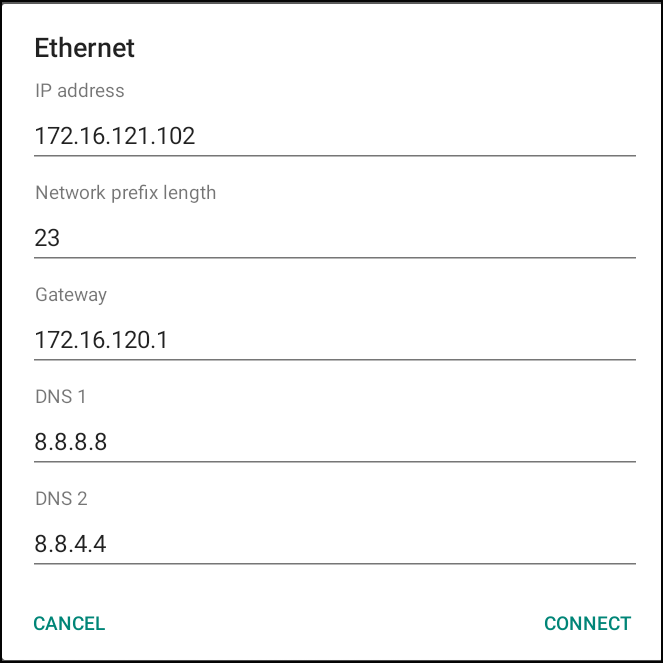
Tap Connect.
Note: You cannot set a static IP address with an ethernet connection on an Allegro or Archer 3 device.